Export contacts
You can export some or all of your contact records into a CSV (comma-separated values) file for review. The file includes the following information:
|
Contact type |
Title |
|
First name |
Position |
|
Last name |
Grade Level |
|
Email address |
Reason |
|
Phone number |
Payment status |
|
Zip code |
Donation amount |
|
Address |
Notes |
|
Behalf of |
Teacher name |
To export one or more export records:
-
In the header, click Contacts. The Contacts page appears.
-
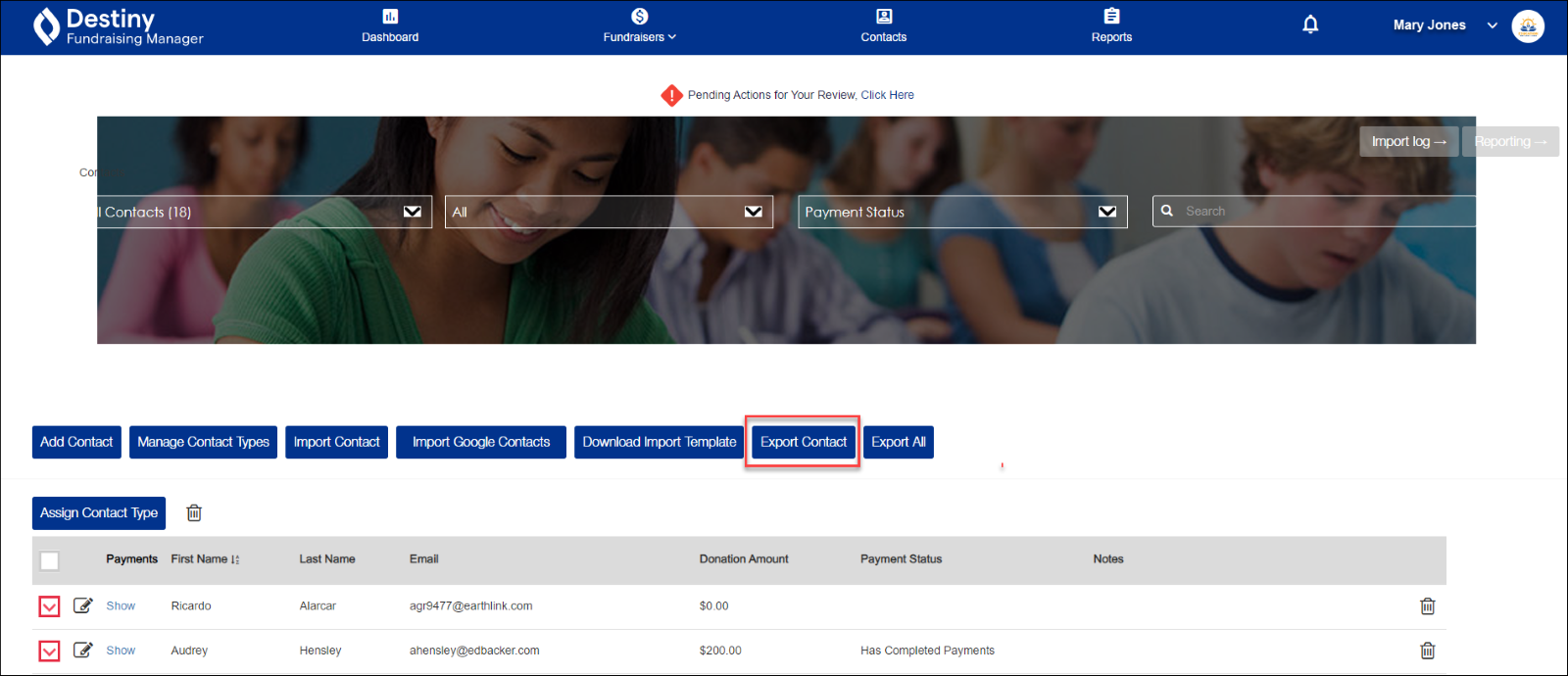
Select the checkboxes next to the names of the contacts you want to export.
- Click Export Contact.
-
The file contact list_[series of numbers].xls will download to your local drive.
-
Navigate to the file, and open it.
-
Review the contact information.
To export all contact records:
-
In the header, click Contacts. The Contacts page appears.
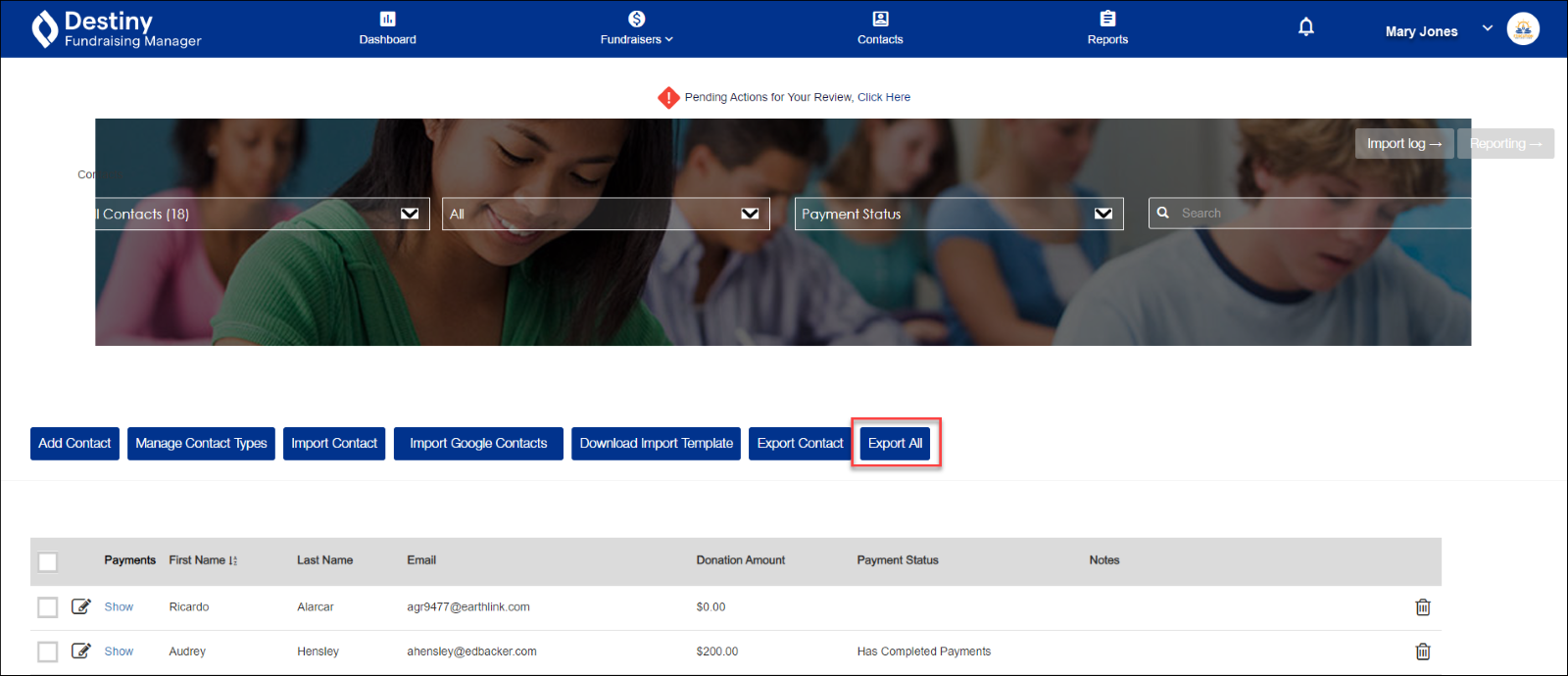
- Click Export All.
-
The file contact list_ [series of numbers].xls will download to your local drive.
-
Navigate to the file, and open it.
-
Review the contact information.
For additional help, contact techsupport@follettsoftware.com.